SIMBA 5G SIM Self-Activation
Welcome to SIMBA! Your 5G Journey starts here.

Important for Port-in Customers
Before activating your SIM, please ensure the following:
- Your current mobile number is on an active postpaid plan. You can verify this from your latest mobile bill.
- Your registered details match. The name and ID (NRIC or FIN) used to register with SIMBA must exactly match the details registered with your current mobile service provider. Any mismatch may cause your port-in request to be rejected.
- Your account is eligible for port-in. Ensure you are no longer under contract (to avoid early termination charges) and that there are no outstanding bills with your current provider.
If all of the above are in order, you may proceed to activate your SIM.
Please follow these steps to activate your SIMBA SIM
If you registered online
- Click here to Activate SIM
- Enter your registered SIMBA mobile number
- Scan the barcode on the back of your SIM card, or enter the 20-digit number manually
- Login with Singpass to retrieve your details
- Congratulations! Your 5G SIM has been activated!
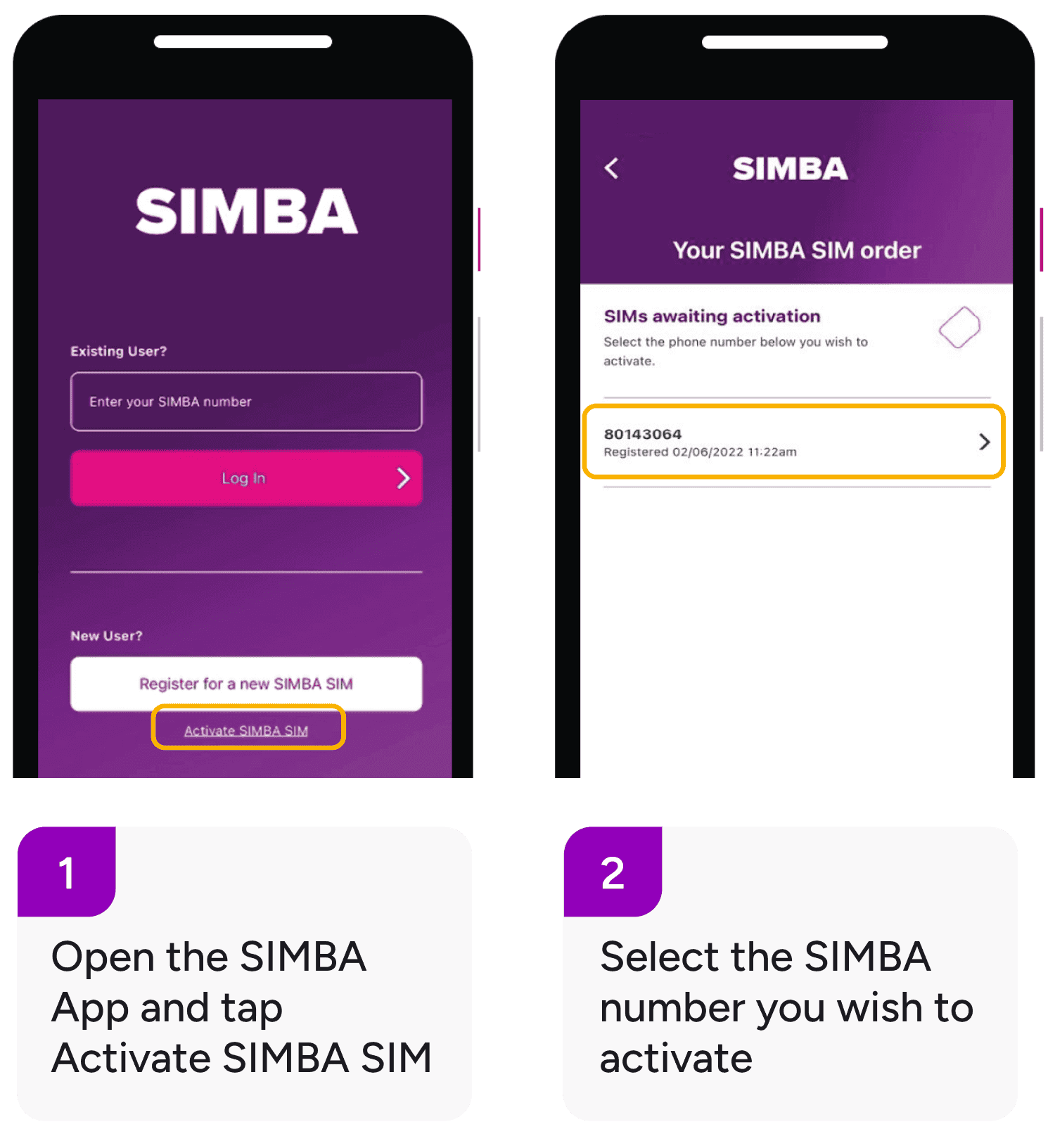
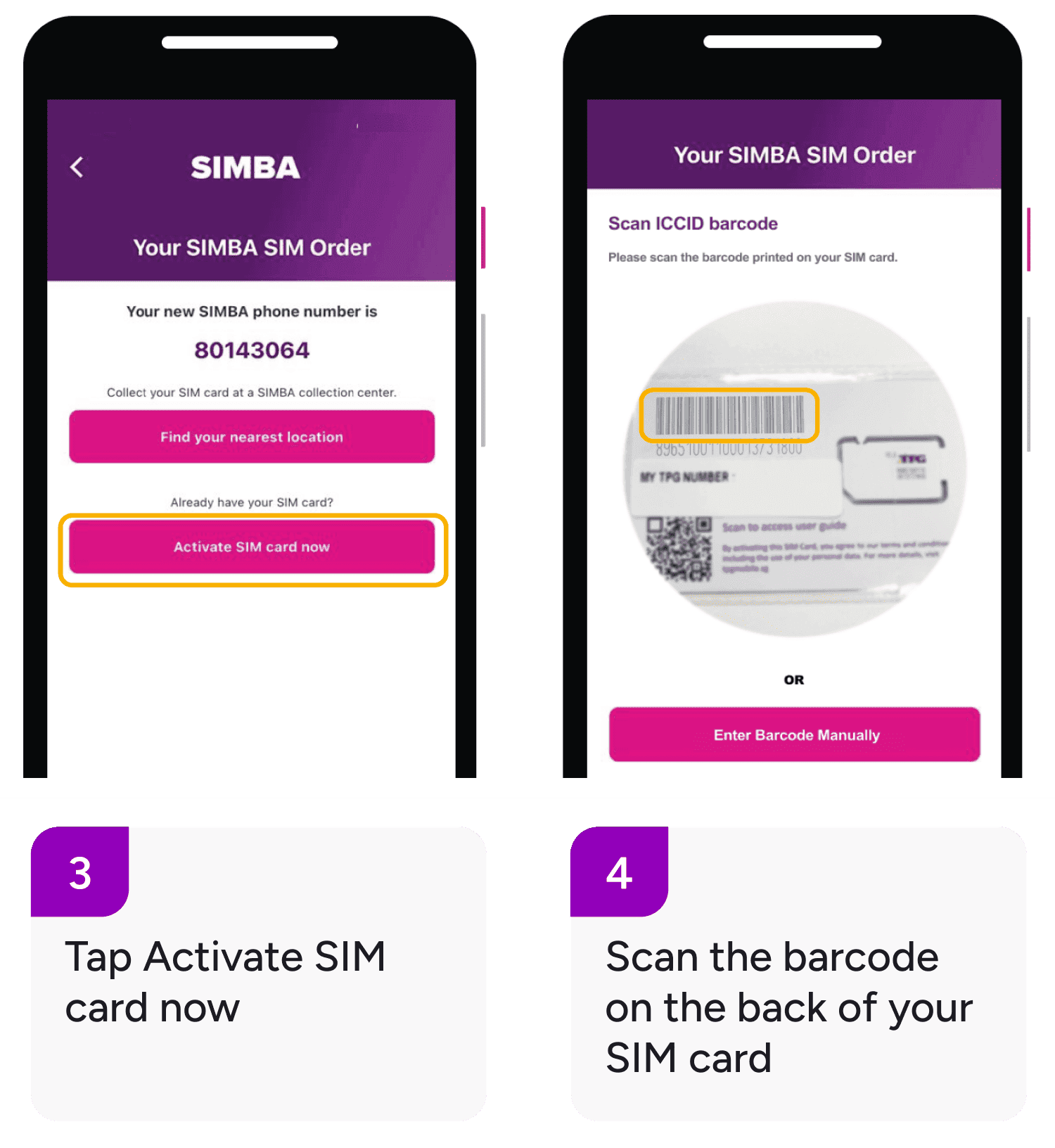
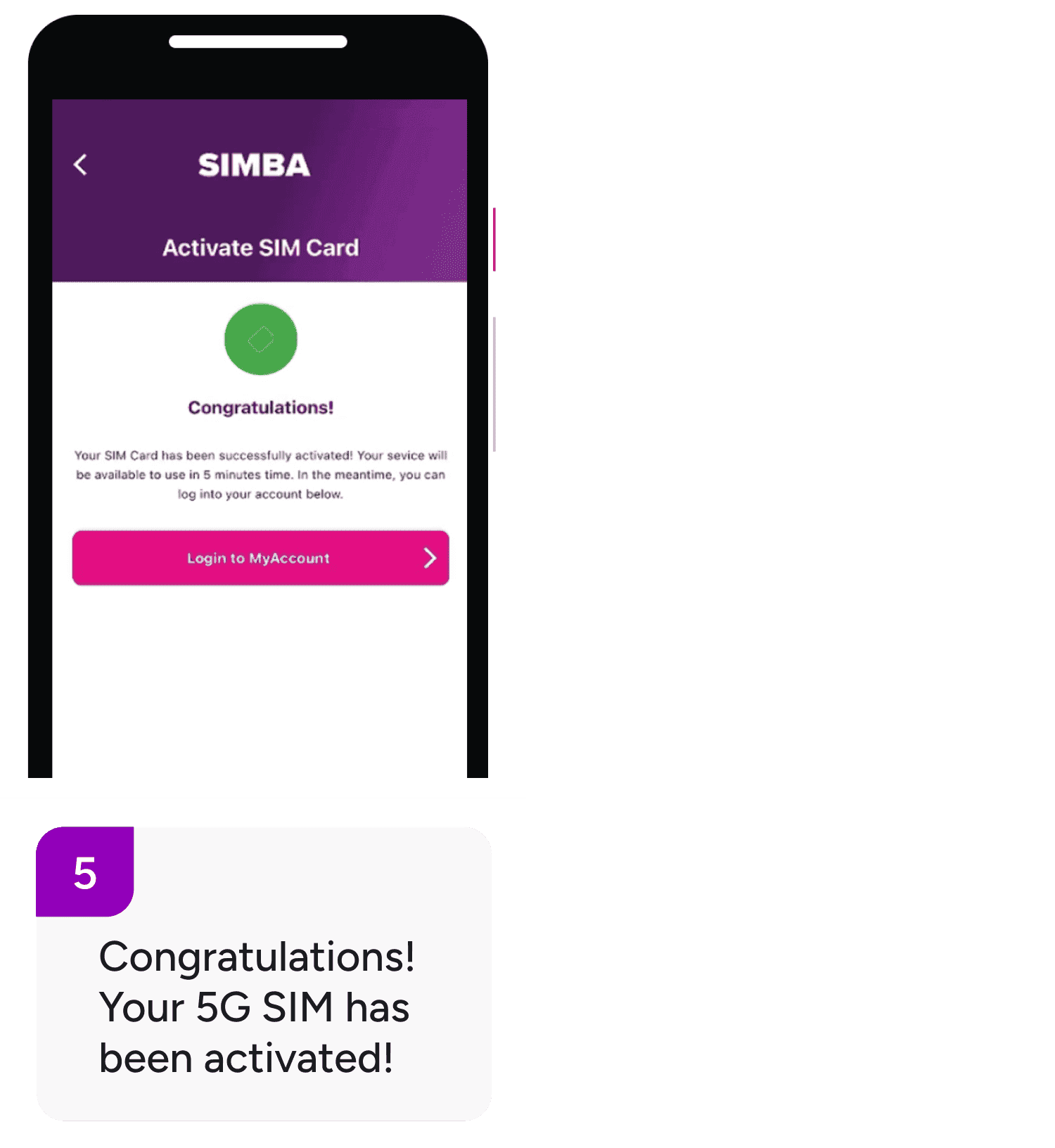
If you registered via SIMBA APP
Need assistance? Click here.